


Alight Motion
3.313.14K Reviews
App Specs
- Version
- 5.0.273.1028425
- Updated On
- License
- Free
- Downloads
- 100,000,000+
- Developer
- Alight Motion
- Categories
- Video Players & Editors
- Platform
- Android, iOS
Screenshots
 Analysis by AppCompare
Ever stumbled upon an app that feels like a game-changer? That’s exactly what happened when I downloaded Alight Motion. As someone who loves dabbling in video editing, this app was like finding a hidden gem in a sea of editing tools. Let me take you through my experience with this creative powerhouse.
Getting Started with Alight Motion
First things first, downloading and setting up Alight Motion was a breeze. Available on both Android and iOS, it’s a lightweight app considering the robust features it packs. After a quick install, I was greeted with a sleek and intuitive interface. No clutter, no fuss, just straightforward tools ready for action.
Now, if you’re like me, you might be a bit overwhelmed at first glance. But fear not, the app is designed to be user-friendly. With a few taps, I was diving into layers and compositions like a pro. The learning curve is gentle, making it perfect for both beginners and seasoned editors.
Guides and Analysis on Alight Motion
Features That Make Alight Motion Stand Out
One of the first things that caught my attention was the app’s range of features. From basic adjustments to advanced animations, Alight Motion covers all bases. Here’s what stood out for me:
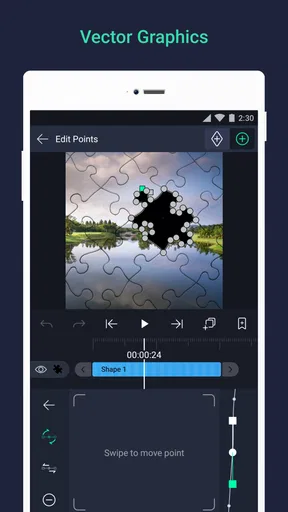
- Vector Graphics and Layers: The ability to work with multiple layers of graphics and videos is a game-changer. It’s like having a mini-Photoshop in your pocket.
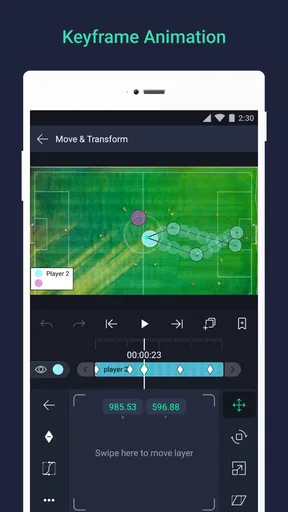
- Keyframe Animation: This is where the magic happens. The app allows you to animate anything and everything, making your videos pop with life.
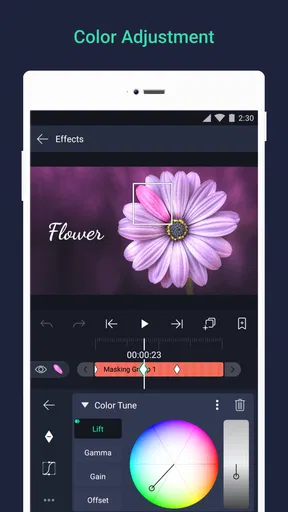
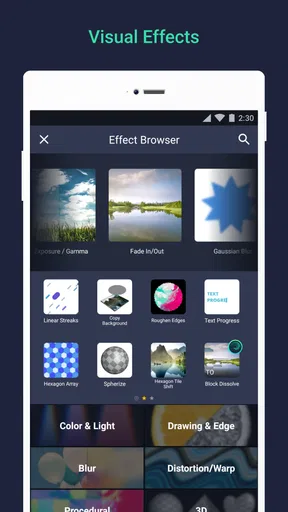
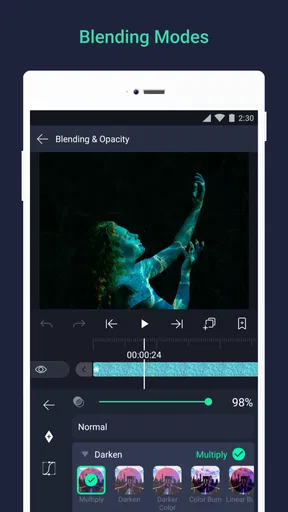
- Visual Effects: With a plethora of effects to choose from, I found myself lost in a world of possibilities. From color corrections to blending modes, it’s all there.
- Audio Editing: Syncing audio with video is seamless. The timeline is easy to navigate, allowing for precise edits and adjustments.
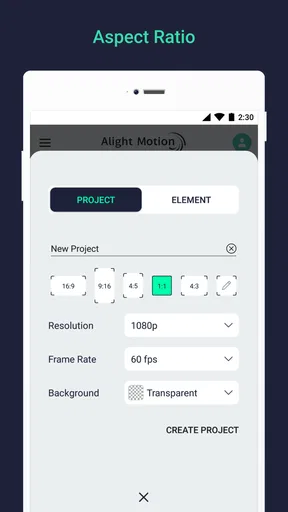
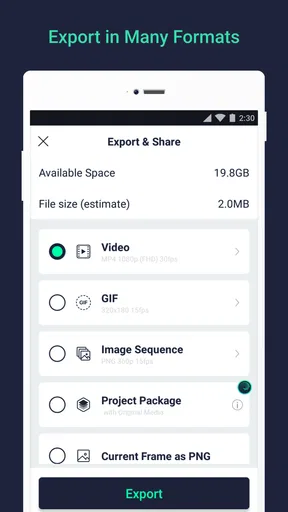
The app also supports various formats, so exporting projects is hassle-free. Whether it’s for social media or a professional project, Alight Motion has you covered.
My Personal Experience
Using Alight Motion felt empowering. I started with a simple project—just a short clip for Instagram. As I got more comfortable, I ventured into more complex edits, adding layers and effects like a kid in a candy store. The app’s performance is impressive, with minimal lag, even when handling multiple layers and effects.
What I truly appreciate is the community around Alight Motion. There are tons of tutorials and forums where users share tips and tricks, making it easy to learn and grow as an editor.
Worth Reading Before You Choose

QuizzLand Review: A Good Fit for Short Trivia Breaks, Not Every Player

Basketball Stars: Multiplayer Is Fast, but Can It Recover When Matches Go Wrong?

WEBTOON Turns Phone Updates Into a Better Reading Routine

Link to Windows Runs on Shared Habits, Not Social Feeds

How Alibaba.com Dominates the B2B Marketplace

Metro's Quiet Rise: Redefining Mobile Communication
Final Thoughts
All in all, Alight Motion is a powerful tool that fits right into your pocket. It’s versatile, intuitive, and packed with features that cater to all your editing needs. Whether you’re a casual user or a creative professional, this app will inspire you to create.
So, if you haven’t already, give Alight Motion a go. It’s free to download, with optional in-app purchases for those looking to unlock even more potential. Trust me, you won’t be disappointed.
Pros
- Intuitive interface for easy navigation.
- Wide range of visual effects available.
- Customizable animations with keyframes.
- Supports multiple layers for editing.
- Frequent updates enhance features.
Cons
- High resource usage on older devices.
- Ads can interrupt workflow.
- Limited features in free version.
- Occasional performance lags.
- Export options are sometimes restrictive.
FAQs for Alight Motion
What is Alight Motion used for?
Alight Motion is a robust mobile application designed for video editing and animation. It allows users to create professional-quality animations and motion graphics directly from their smartphones. With features such as layers, visual effects, and color correction tools, it's ideal for both amateur and professional video editors looking to produce high-quality content on the go.
Is Alight Motion free to use?
Alight Motion offers a free version with basic features and watermark on videos. For advanced functionalities and removal of the watermark, users can opt for a subscription model. The subscription provides access to premium features such as additional effects and higher export quality, making it worthwhile for serious creators.
What are the key features of Alight Motion?
Alight Motion includes a variety of features such as multiple layers for graphics and video, a wide range of visual effects, and powerful color correction tools. It also supports vector and bitmap editing, keyframe animation, and has a comprehensive blending mode. These features make it a versatile tool for video editing and animation.
Is Alight Motion user-friendly for beginners?
Yes, Alight Motion is designed to be intuitive, with a user-friendly interface that accommodates both beginners and experienced users. Beginners can start with basic functions and gradually explore more advanced features as they become more comfortable. The app also offers tutorials and resources to help users enhance their skills.
What devices support Alight Motion?
Alight Motion is available on both Android and iOS devices. It requires a relatively modern device with adequate processing power to run smoothly, especially for handling the more advanced editing features. Users should ensure their devices meet the app's minimum system requirements for optimal performance.


